
 Basin for Craft docs
Submissions
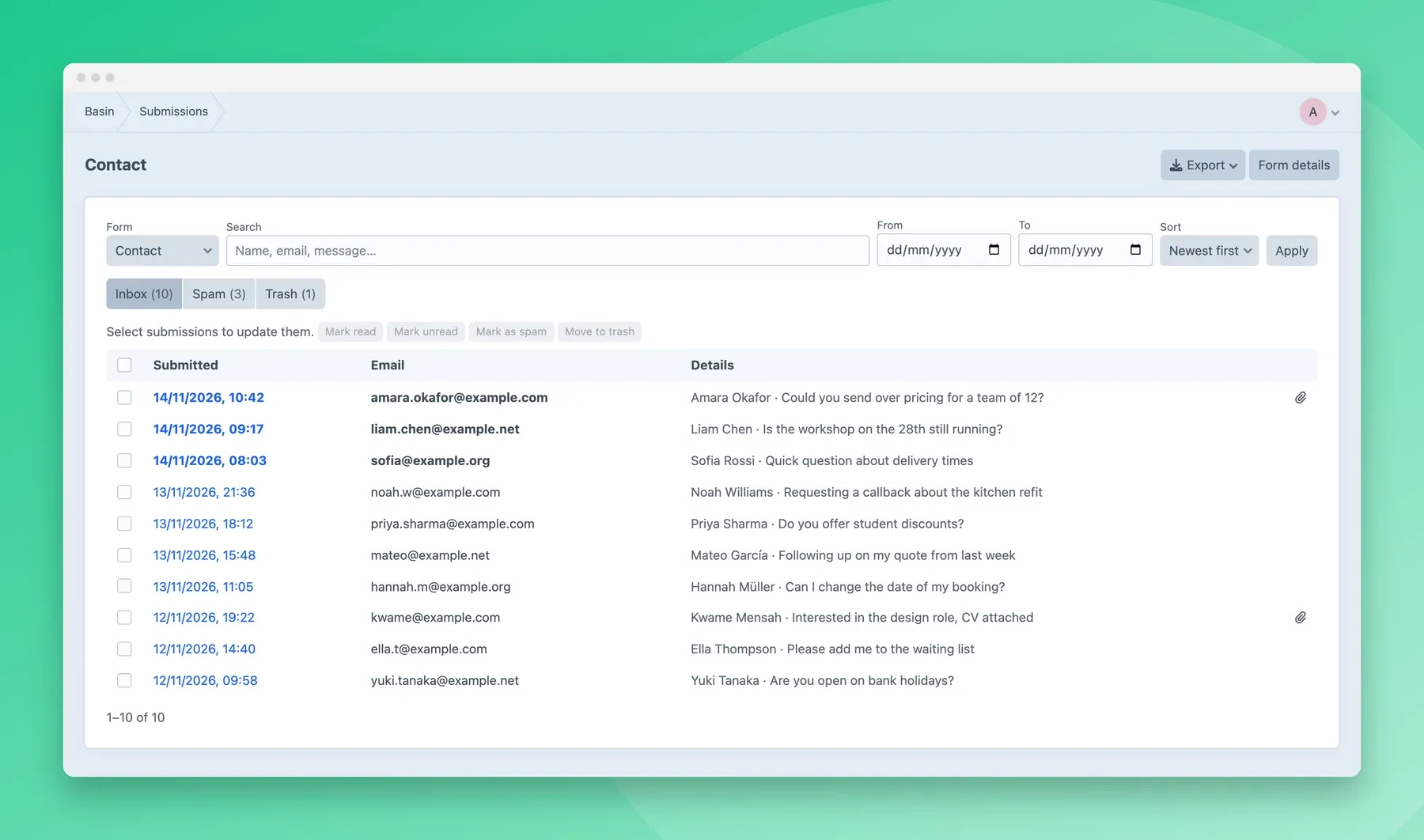
Basin → Submissions shows a form’s submissions, straight from Basin. Use the form switcher to change forms. Nothing is copied into Craft’s database.
Finding submissions
Section titled “Finding submissions”- Inbox, Spam and Trash tabs, with counts. Unread submissions are in bold.
- Search across submissions.
- Date range, in the form’s timezone.
- Sort by newest, oldest, or email.
The address bar keeps the current view, so you can bookmark or share it.
A submission
Section titled “A submission”Click a submission to see every field, its attachments, and details such as when it was sent, the page it came from, the visitor’s location and browser, and why Basin marked it as spam. Use the previous and next links to move through the list.
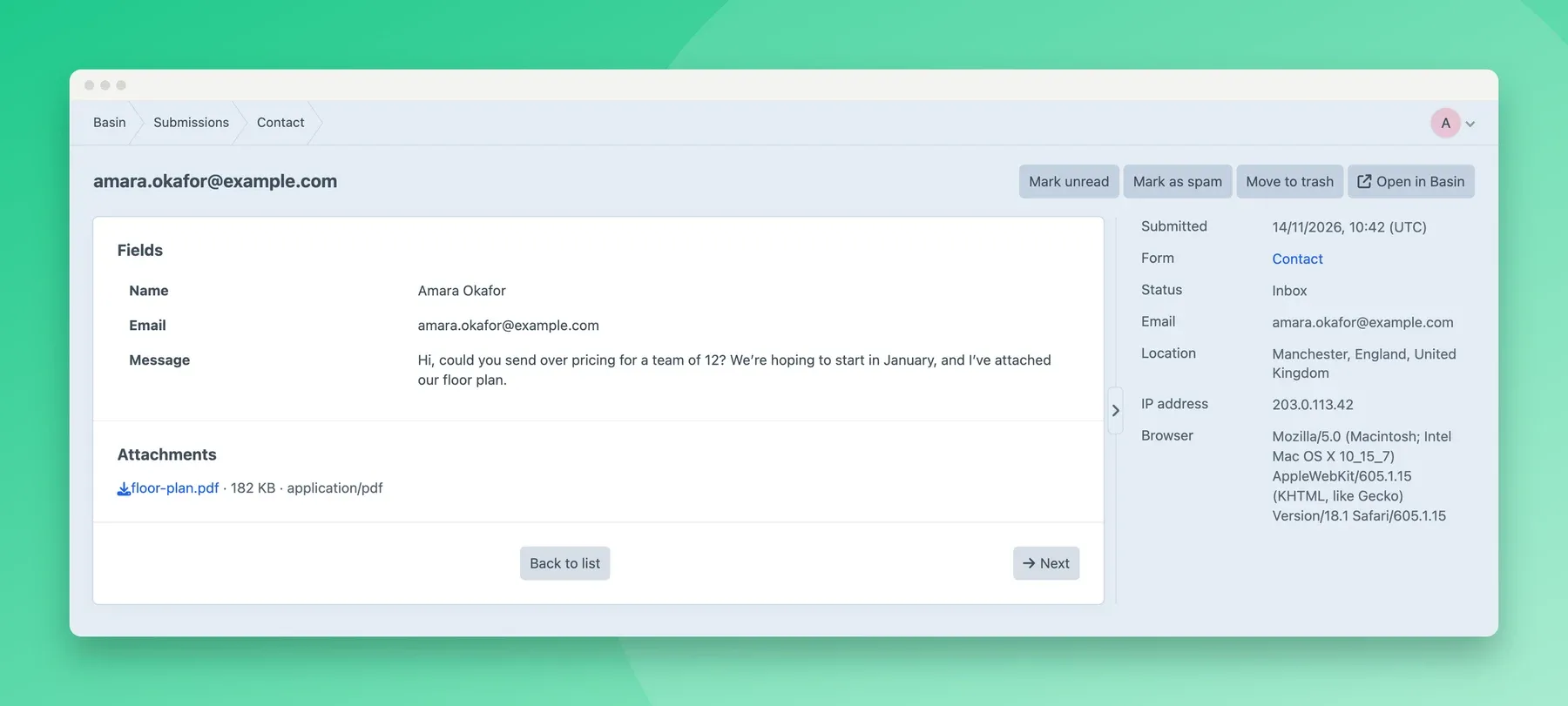
Opening a submission marks it as read, for users who can manage submissions.
Attachments download through Craft, and only for users who can view submissions. Basin’s public file links are never shown, so they can’t be shared by accident.
Actions
Section titled “Actions”For one submission or a selection:
- mark as read or unread;
- mark as spam or not spam;
- move to the trash, or restore;
- delete permanently, if Allow permanent deletion of submissions is on in the settings. This deletes the submission from Basin and can’t be undone.
Large selections (more than 50) are processed in the background by Craft’s queue.
Sending to webhooks again
Section titled “Sending to webhooks again”If a form has webhooks in Basin, a submission’s page has a Send to webhooks again button. Use it when a webhook failed, or was added after the submission came in. Basin sends the submission to all of the form’s webhooks, so anything they’re connected to may act on it twice.
The submission’s details show when its webhooks were last sent, under Webhook sent. Basin updates this shortly after it sends them. The button needs the Manage submissions permission.
Unread count
Section titled “Unread count”The menu item shows how many unread submissions are in the inbox across all the project’s forms. It counts the latest 100 submissions, so it shows at most 100. To hide it, turn off Show unread count in the settings.